
Searching Montgomery County Civil Dockets
For a remote case lookup, the Kansas District Court Public Access Portal does most of the work. Pick District as the search type. Then choose Case Number, Party Name, Business Name, or Party As Business Name. Set the county filter to Montgomery. A full case number is the cleanest route to one case. Searching a name instead? Use the format the live form supports, and add case type, date of birth, or filing-date filters to cut the noise.
- Open Kansas CaseSearch and choose District.
- Select the matching search type.
- Enter the case number, person, or business.
- Set Montgomery County and a civil case filter.
- Compare the case ID, caption, location, dates, and events.
The Fourteenth Judicial District calendar is the second tool. Choose domestic/civil, probate, limited action, or small claims to fit your search. A posted docket PDF can show a single setting, but CaseSearch and the clerk-held events index cover the fuller case history.
What Montgomery Civil Dockets Include
Civil means more than one kind of dispute in Montgomery County. The district court's docket spans regular civil actions, limited actions, small claims, domestic matters, parentage, protection orders, probate, guardianship, and conservatorship work. Those categories run on different calendars and access rules. A statistics report may lump them into one civil total. A docket search treats them separately.
| Case group | Typical docket material | Access point |
|---|---|---|
| Regular civil | Pleadings, motions, settings, orders, judgment | CaseSearch and district clerk |
| Limited action | Money claims, service, hearings, judgment | CaseSearch, calendar, clerk |
| Small claims | Petition, service, appearance, default or trial | Small-claims calendar and clerk |
| Domestic or protection | Hearings and permitted public entries | Restricted according to Rule 22 |
| Probate or guardianship | Petitions, appointments, reports, orders | Public access varies by record |
Read the case type before the event list. A "review" in a guardianship matter and a "review" in a protection case can raise very different questions.
Inside a Montgomery County Civil Docket
A Montgomery civil/domestic docket sample uses a tight day-of-court layout. It shows the case identifier, the public caption, the setting, attorney or self-represented status, and related court information. A Kansas events index runs in chronological order. It can add filed pleadings, notices, motions, orders, judgments, and later settings to the picture.
| Case number | Location, year, case-type code, and sequence |
|---|---|
| Caption | The public names or style of the action |
| Setting | Review, motion, trial, final hearing, or another event |
| Counsel | Attorney names or a pro-se notation |
| Judge | The judicial officer assigned to the setting |
| Event history | The dated register of filings and court action |
"Pro se" means a party shows up without an attorney. A docket line saying a motion was filed is just an index entry. It is not a ruling. The motion image itself, when public and available, is a separate court record. A judgment entry names the outcome, but only the clerk can issue a certified copy.
Read Montgomery Civil Docket PDFs
Read the local civil/domestic PDF as a four-part check. Check case number, caption, setting, and counsel status. Begin with the full identifier. Similar captions do happen, and the number separates them. Next, pin down what the setting actually is. It might be a motion, review, temporary-order hearing, final protection hearing, trial, or another listed event. Finish with the attorney or pro-se field.
Posted samples warn that last-minute changes may not show up. A PDF saved days before court should never drive an urgent date decision. Check it against the live calendar and filed notice. Then confirm with the clerk or attorney of record. Also remember that a docket list proves neither completed service nor a granted request.
Four-column check: Match the number, caption, setting, and attorney field before treating a Montgomery County civil docket row as the correct case.
Civil Case Types on the Docket
Regular civil actions cover contract, property, and tort claims. Limited actions form a separate civil path, often used for narrower money disputes. Small claims exist to recover money or personal property within the local statutory and court limit. Domestic and parentage cases involve family relationships and often face restricted electronic access.
Local small-claims rules set a $4,000 claim limit. They also generally expect parties to represent themselves in the proceeding. Venue may rest where the defendant lives. It may also rest where the transaction happened, or where service can be made. The clerk hands out the civil information sheet and petition. The clerk cannot pick a legal theory or advise whether to file.
Protection from abuse and protection from stalking cases appear as PFA and PFS in civil reporting. Docket labels use the same tags. They are not generic money suits. Guardianship, conservatorship, probate, and parentage matters likewise demand attention. Both case type and access limits matter.
Montgomery Small Claims Docket Path
Small claims follow their own calendar trail inside the Fourteenth Judicial District. The petition opens the case. Service gives notice, and the docket records appearances and settings. If a defendant skips a hearing after valid service, the court may address default. An appeal runs through the District Court process. The official Montgomery small-claims information page supplies this material.
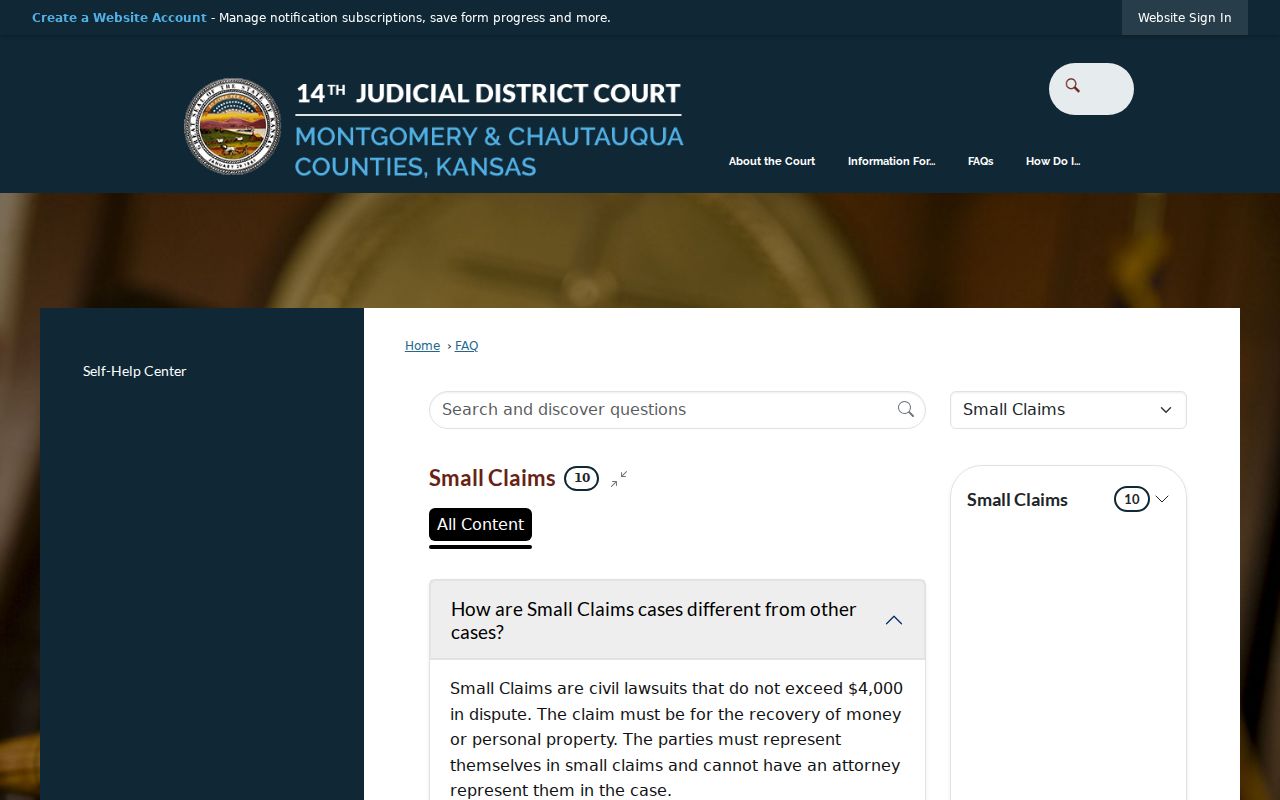
That page lists a separate sheriff service fee and subpoena-related amounts, but confirm current costs before filing. Fees tell you nothing about whether service occurred or whether the judge entered judgment. Those facts live in the case events and filed orders.
Civil Docket Settings and Hearings
A setting tells you why a case is on the calendar. It is not the result. "Motion/TO" in the local sample means a motion or temporary-order setting. "Final PFA" and "Final PFS" mark final hearings. Both arise in protection matters. A "Review" brings the case back before the court. The court uses that setting to assess status or compliance.
- Motion
- A request asking the court to enter an order.
- Temporary order
- An interim ruling that operates before a later hearing or final decision.
- Review
- A setting used to check progress, status, or compliance.
- Default
- A possible court response when a properly served party fails to appear or answer.
- Judgment
- The court's formal decision on the claim or issue.
A continuance moves a setting; it does not dismiss the civil action. When a date changes, CaseSearch may show a new event while an old PDF sits in your saved downloads. Confirm the current setting with the court.
Montgomery Hearing Reports Add Detail
A Montgomery County hearing report can carry far more than a bare calendar line. The detail starts with the fields. Case ID, connection, party role, judge, start time, setting, amount, notes, a sealed label, and report-page information all help. That extra detail separates two matters stacked on the same docket call. It cannot stand in for the pleadings. Nor can it replace the orders themselves.
| Source | Useful detail | What it cannot prove |
|---|---|---|
| Calendar event | Date, time, place, category | Full case history |
| Docket PDF | Case, caption, setting, counsel | Late changes or full filings |
| Hearing report | Roles, judge, time, notes | Final ruling without an order |
| Events index | Chronological court activity | Text of every filing |
Check the title and date on the source first. A generated hearing report can carry a sealed label yet show none of the sealed content. Any listed amount only makes sense when read against the filed record.
Civil Docket Access Rules
Civil cases in Montgomery County are mostly public. But Kansas Supreme Court Rule 22 closes certain case types and documents to normal electronic access. Domestic matters such as divorce, PFA and PFS cases, parentage, adoption, guardianship, conservatorship, and other child-related records may all be restricted. Rule 23 governs sealing. Rule 24 obliges filers to redact protected personal data. So a public caption can appear even when a filed document stays hidden. The document may predate the eCourt range, hold restricted information, or sit behind courthouse-terminal access. An empty portal result proves nothing. The case might live in another court, run under a different caption, or be restricted from view.
Public index, restricted paper: Kansas rules can allow a civil case entry while withholding a particular document. Ask for the precise public record rather than assuming every filing is remote.
Montgomery Civil Docket Access Channels
CaseSearch delivers statewide remote case information. It can also link public document images. The local calendar and its iCalendar feeds handle schedule views. Both district clerk offices keep public access terminals. These cover open material that never reaches the remote portal. Visitors may also inspect records at the counter or send a specific written request.
Independence District Clerk
300 E Main Street, Suite 201
Independence, KS 67301
620-330-1070
Monday through Friday, 8 a.m. to noon and 1 to 4 p.m.
Coffeyville District Clerk
102 W 7th Street, Suite A
Coffeyville, KS 67337
620-251-1060
Monday through Friday, 8 a.m. to noon and 1 to 4 p.m.
The local FAQ is clear: record-search requests are not taken by phone. Staff may still route a question. They can confirm a recent unsealed filing or the next hearing. For a real search, use the public-record request form. You can also mail a legible request to the Independence office, fax it to 620-331-6120, or hand it over in person. The clerk publishes no dedicated records email and no drop box. Tell the clerk the case number, type, document name, and date range. Say how you want delivery. Sealed material stays closed even at a public terminal. Clerk staff can grant access and make copies. But they cannot interpret the record or hand out legal advice.
Verify Montgomery Civil Docket Entries
Match a civil record by case ID, caption, case type, Independence or Coffeyville location, filing date, and latest event. A business can be a party. Two people can share a name. The caption alone is never a safe match, so read the party role and the chronological index too.
A docket entry, a full filing, and a certified copy each answer a different question. The entry records that an event happened. The filing supplies its actual text. Certification authenticates a clerk-produced copy. If the public portal shows no image, turn to a terminal or a written request instead of assuming the gap means anything.
For a date, check the live calendar, the case index, and the filed notice. For an outcome, find the judgment or order itself. For restricted material, follow the court's access process. Those steps keep a Montgomery County civil docket search anchored to the record held by the Kansas District Court.
Note: A draft docket or calendar row can shift, so confirm any time-sensitive Montgomery County civil setting with the originating court.